Attendant Console for Microsoft Teams: How Reception Teams Connect Callers Faster
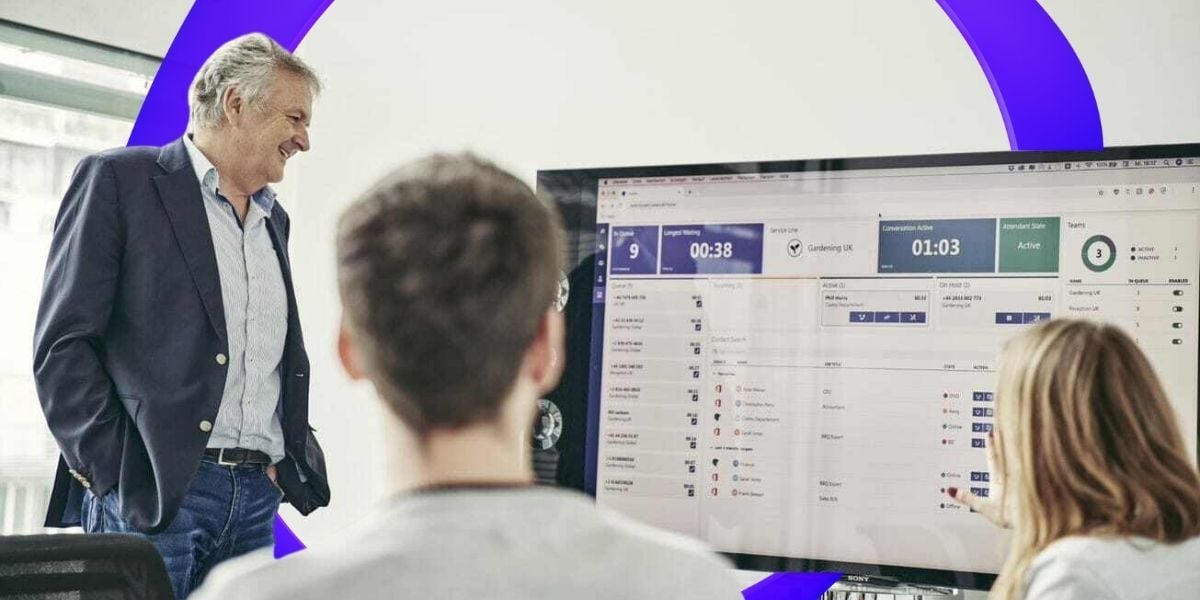
An attendant console for Microsoft Teams is a dedicated call-handling interface that lets receptionists manage high call volumes directly inside Teams. It combines caller identification, directory search, real-time presence, calendar visibility, and one-click transfers in a single view, so front-desk teams can connect each caller to the right person on the first try instead of searching across three or four separate windows.
What is an attendant console for Microsoft Teams?
An attendant console for Microsoft Teams is an operator interface that gives receptionists the tools to answer, screen, and route high call volumes professionally, all inside the Teams client they already use. It brings caller identification, full-directory search, live colleague presence, calendar visibility, notes, and multiple transfer modes into one screen.
The key difference from a standard Teams window is context. A receptionist does not just place a call through; they see who the caller wants, whether that person is free right now, and how best to hand the call over, all before they touch the transfer button. That is the difference between a general-purpose communication tool and a purpose-built reception interface.
What happens when receptionists don't have the right tools?
Reception teams often handle hundreds of calls a day while working almost blind. They answer the phone, hear a name, and start searching: the company directory in one window, Outlook calendars in another, maybe a spreadsheet of extensions in a third. Half the time the person the caller wants is in a meeting, and the receptionist only finds out after the transfer has already failed.
The caller gets bounced back, repeats their request, and their first impression of the company is frustration. First impressions are like cement: hard to change once they set. When the front desk lacks context, every transfer is a guess, and every failed guess costs the caller time and goodwill.
How an attendant console improves call handling
An attendant console improves call handling by putting availability, context, and transfer control in one place, so receptionists route calls correctly the first time. Three capabilities do most of the work.
Real-time presence and calendar visibility. Receptionists see each colleague's live Teams presence (available, busy, in a meeting, do not disturb) and their synchronized Outlook calendar right in the console. In practice, this means a receptionist can stop saying “they're not available, I'll send you to voicemail” and start saying “she's free again at 2:30, shall I have her call you back then?” This is exactly the capability Sensirion's team valued most, since their previous on-premises phone system could not show employee calendars at all.
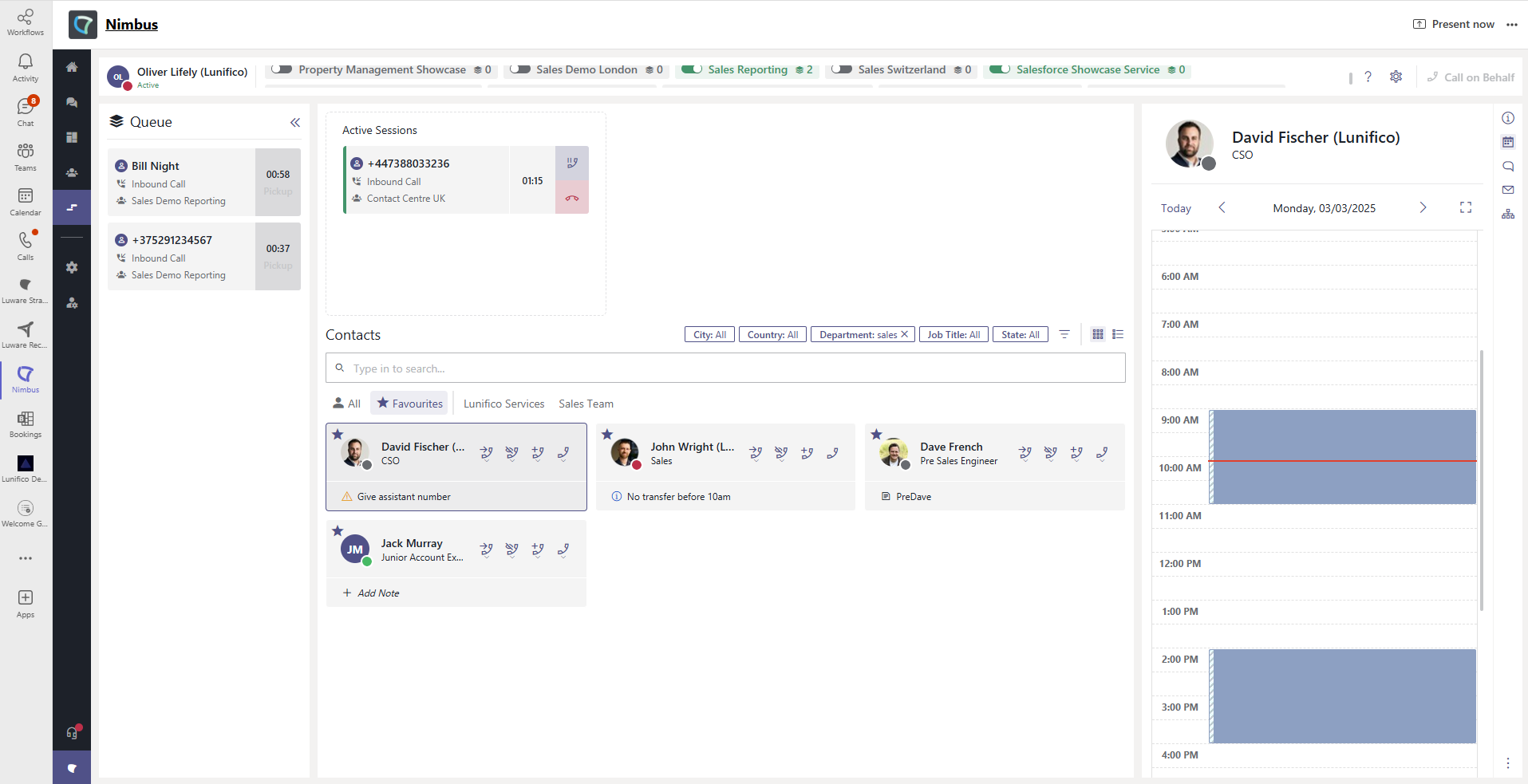 Real-time presence and Outlook calendar visibility in the Luware Nimbus Attendant Console. The receptionist can see exactly when a colleague is free and offer the caller a concrete callback time, instead of just sending them to voicemail.
One-click transfers, with the right method for the moment. The receptionist picks the handoff that fits the call: a blind transfer for a quick connection, a consultative transfer to brief the colleague first, or a safe transfer that automatically returns the call to the receptionist if no one answers. No caller gets stranded in the system.
Visual queue management. All waiting calls appear as cards sorted by urgency and wait time. Receptionists can see how many people are holding, spot a VIP who needs priority, and redistribute calls across the team during a rush, all without leaving the console.
What types of call transfers should a receptionist have?
A professional attendant console should support three transfer types, because different calls need different handling. The consequence of having all three is that the receptionist, not the phone system, decides how each caller is treated.
- Blind transfer: connects the caller to the destination immediately. Best for a quick, unambiguous handoff.
- Consultative transfer: lets the receptionist speak to the colleague first, confirm they can take the call, and pass along context before connecting the caller.
- Safe transfer: sends the call through but automatically returns it to the receptionist if the recipient does not pick up, so nobody is lost to an unanswered extension.
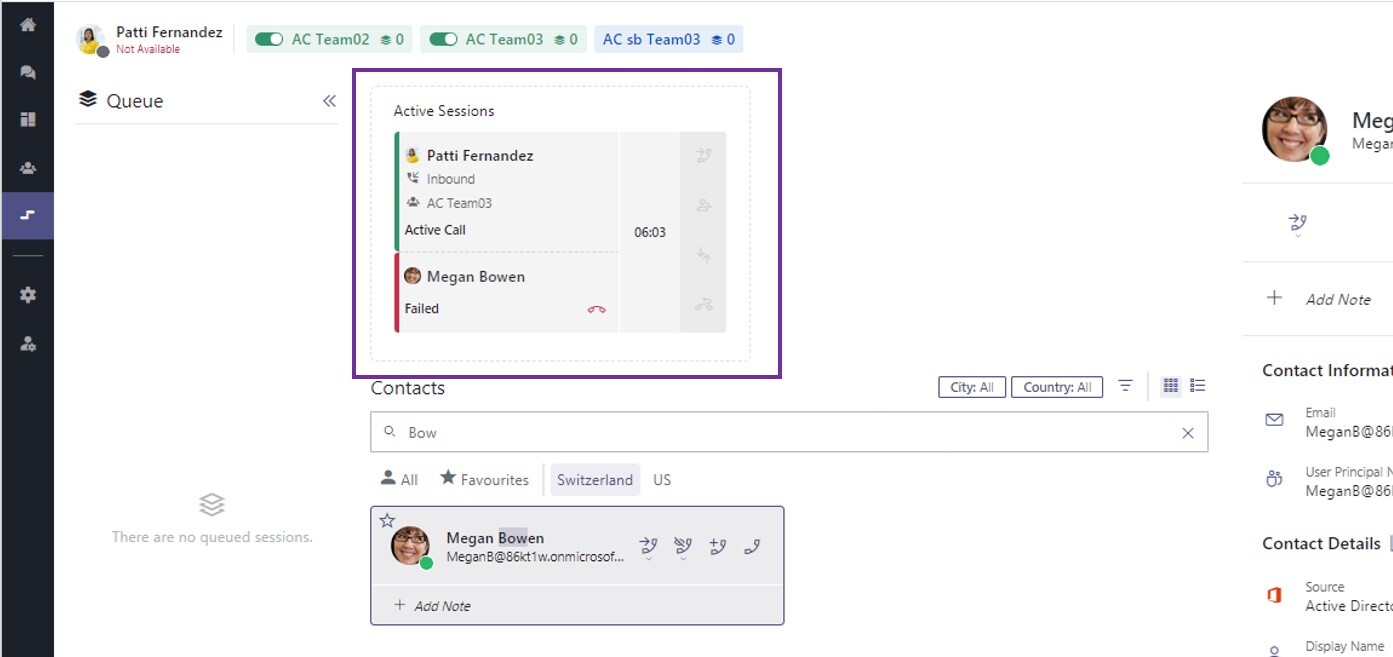 Performing a safe transfer in the Luware Nimbus Attendant Console. If the colleague does not answer, the call returns automatically to the receptionist.
How an attendant console improves the customer experience
An attendant console improves the customer experience by removing the two things callers dislike most: repeating themselves, and being handed to someone who cannot help. Connecting a CRM or address book into the console surfaces caller history and notes at the moment the call lands, so receptionists greet people by name and route them to the right account owner without switching applications.
Notes matter just as much for internal continuity. Because reception is often staffed by part-time and shift-based teams, a shared note beside a colleague's profile keeps everyone aligned. If someone is on maternity leave, the note names the right substitute, and the next receptionist on shift never misses a beat.
How receptionists gain independence from IT
An attendant console for Microsoft Teams lets receptionists manage their own front-desk settings, which removes a steady stream of tickets from IT. Reception teams are usually responsible for keeping telephone availability in step with business hours. When a holiday comes up or the desk closes early, someone has to change the queue announcement.
With traditional attendant console systems, that kind of update often required specialist intervention. With a Teams-native console, receptionists make the change themselves in a visual editor. The result is a more agile service for callers and more strategic time back for IT. Emmi saw both sides of that trade-off.
How is an attendant console different from Teams Auto Attendant?
The key difference is who handles the call. Teams Auto Attendant is a built-in Microsoft feature that routes calls automatically through voice menus and prompts, with no person involved. An attendant console is a purpose-built interface for a human operator who answers calls personally and needs live context to route them well. The two are complementary, not competing: many organizations use Auto Attendant for after-hours or self-service routing and an attendant console for staffed reception.
| Teams Auto Attendant | Attendant Console | |
| Who handles the call | Automated menu (IVR) | A person (receptionist) |
| Colleague presence and calendar | Not available | Real-time, in one view |
| Transfer control | Rule-based routing | Blind, consultative, or safe transfer, chosen per call |
| Caller context and notes | No | Yes, via CRM and directory |
| Best suited to | High-volume, self-service routing | Personal, high-touch reception |
Luware Nimbus Attendant Console: Proven in enterprise reception teams
The Luware Nimbus Attendant Console is Luware Nimbus's front-desk module. Luware Nimbus is Luware's Microsoft Teams-native contact center and communication platform, used by reception and service teams across regulated and enterprise environments. The proof for reception specifically comes from the teams running it every day.
At Sensirion, the front desk handles approximately 850 calls per month for 1,200+ employees across multiple global locations, all through the Attendant Console. Calendar visibility, the feature their old on-premises system lacked, is what made that volume manageable for a small team.
Ease of adoption backs this up. In Luware's 2023 customer survey (n=52, June–July 2023), 75% of respondents rated Luware Nimbus as easy or very easy to learn. That is not an accident of design: the 2025 Attendant Console redesign was shaped directly by Luware's Customer Advisory Board, a group of enterprise customers who gave input on reception workflows, transfer logic, and layout. The console reflects how receptionists actually work, and the product was recognized as a 2025 CRN Tech Innovator Awards finalist.

More from our Blog

Microsoft Teams Contact Center Integrations: Connect – Extend – Unify
Compare Extend vs Unify for Microsoft Teams contact center integration: costs, licensing, AI, and how to run both models on one platform. Read the guide.