The End of “Context Switching”: Unifying WhatsApp and Voice in the Contact Center
How to bridge the gap between asynchronous messaging and traditional calls directly within Microsoft Teams.
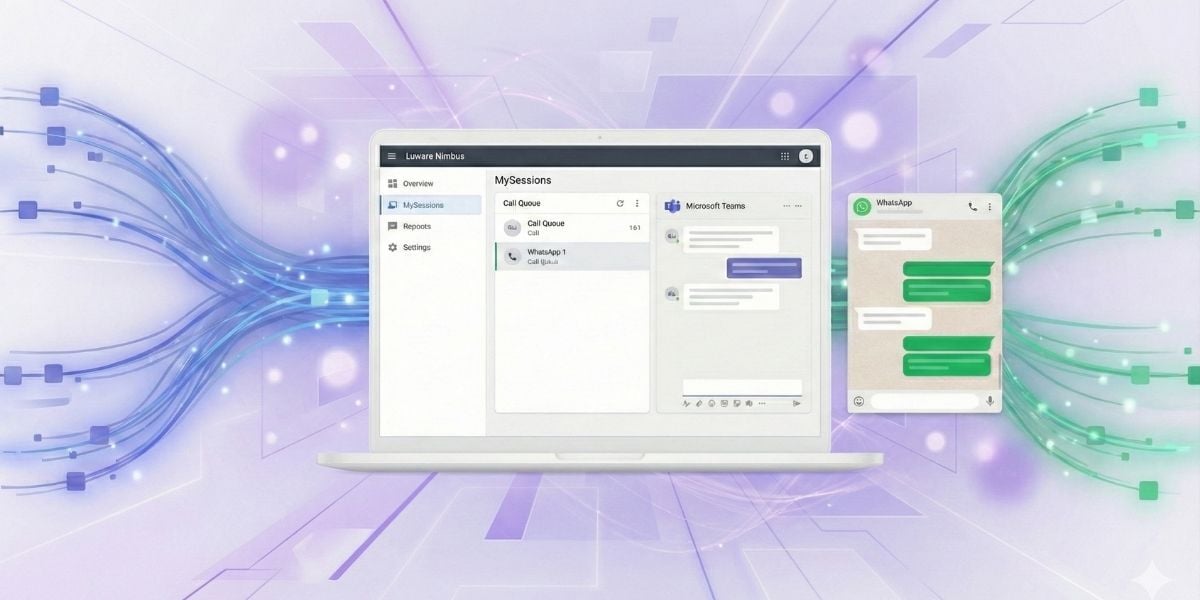
Customer expectations have shifted. It is no longer just about picking up the phone; it is about being exactly where your customers are. But for Contact Center managers, adding new channels usually means adding new complexity.
Every time an agent has to minimize a window to check a WhatsApp Web tab or a separate CRM, they lose focus. This “context switching” kills efficiency. But what if your asynchronous messaging lived right next to your voice controls? Here is how you can streamline operations and meet the demands of modern buyers using Luware Nimbus.
The shift to asynchronous CX in 2026
A key aspect of customer-centricity is adapting to how customers want to engage. As Gartner research highlights, communication preferences differ by generation. While voice remains a staple, Millennials and Gen Z are shifting heavily toward asynchronous messaging.
With over 2 billion users worldwide, WhatsApp is the premier platform for this shift. Integrating it isn't just a “nice-to-have”—it's a competitive advantage. However, the challenge has always been integration: How do you offer WhatsApp without creating a siloed, chaotic workflow for your agents?
Omnichannel contact center solution: the “single pane of glass”
The future of CX is unified. By integrating your WhatsApp Business account directly into your Microsoft Teams environment via Luware Nimbus, you eliminate the noise. No more Alt-Tabbing between apps. Just a clean, single feed where a chat message sits comfortably alongside a voice call queue.
How the WhatsApp integration works (powered by Twilio)
We utilize a robust Twilio integration to bridge the gap between the WhatsApp network and your contact center. This allows you to manage customer interactions from a single platform:
-
Unified agent feed: WhatsApp conversations arrive in the MySessions dashboard. Agents see the queue, the wait time, and the message content in one view.
-
Seamless channel hopping: If a complex WhatsApp chat needs to escalate to a voice call, the agent is already in the right interface to handle it.
-
Media support: Send and receive images or documents directly within the chat—perfect for IT support or claims processing.
Customer view vs. Luware Nimbus user view:
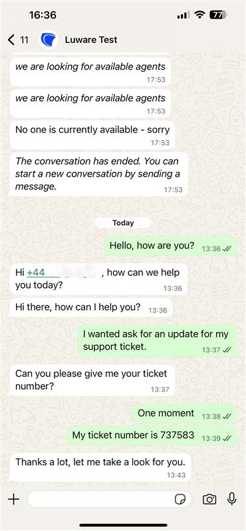
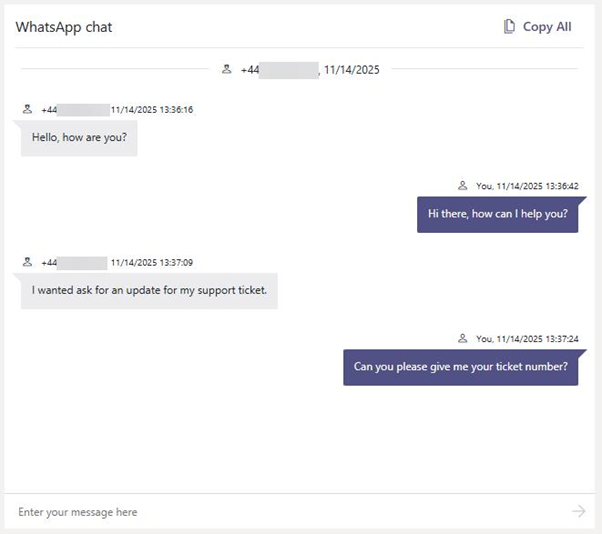
The WhatsApp implementation is easier than you think
You don't need to overhaul your entire infrastructure to get this running; you will use Twilio as the bridge between WhatsApp and Luware.
How to connect WhatsApp to Luware Nimbus:
Here is the high-level process:
-
Twilio setup: Link your WhatsApp Business API account in your Twilio Console.
-
Establish connection: Connect the Twilio Messaging Service to your Luware tenant.
-
Service line configuration: Add the WhatsApp messaging service to your specific service line.
Existing customers can find the technical setup guide, including API keys, in our Knowledge Base.

More from our Blog

Microsoft Teams Contact Center Integrations: Connect – Extend – Unify
Compare Extend vs Unify for Microsoft Teams contact center integration: costs, licensing, AI, and how to run both models on one platform. Read the guide.